


X Регистрация |
|
Здравствуйте! Для размещения своих сообщений на форуме предлагаем зарегистрироваться. |
|
|
|
 20.11.2010, 01:35
|
#11 |
|
Местный

Регистрация: 01.07.2009
Адрес: Челябинск
Сообщений: 1,474
Сказал(а) спасибо: 11
Поблагодарили 94 раз(а) в 88 сообщениях
Рейтинг мнений:
64
Вес репутации: 19   |
 Re: EPSON Stylus Pro GS6000 (8-ми красочный экосольвент)
кто хочет ну очень дешево ....
угадать с трёх раз, что это такое: 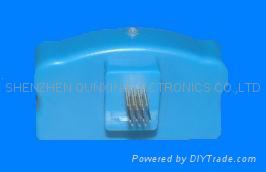 1.This refillable cartridge is suitable for the GS6000 printer. 2.Instruction is as follows: 1) First, take the orginal chip out off the orginal cartridge, 2) Install the orginal chip into our compatible cartridge, 3)Third,install the decoder /Electronics card to the printer, the original chip with the decoder performs as same as the auto reset chip(ARC) chip, 5)now, you just need refill the Eco Solvent ink into the cartridge with syringe, and the cartridge can work. 6) Making the Ink flow to smoothly: you can pumping all the air out of the cartridge by syring from refilling hole Or you also can take out the air hole rubber,then tilt the ink to the refilling hole,finally install the air rubber( the cartridge air pressure will be balance with the outsaid air pressure) 3.Remark: 1)Pls check if there is enough ink in the compitable cartridge. 2) The full ink level is 1000ml, when the ink is only 150ml, pls refill ink into the cartridge. Otherwise, the cartridge cann't work. и это: 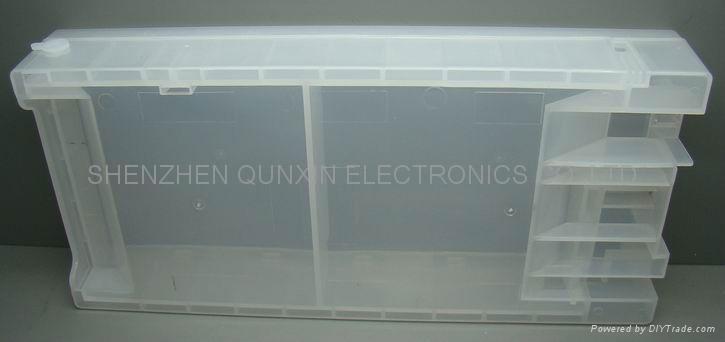 инструкция: 1.It can be suitable for GS6000 printer 2.It can reset original cartridges 3.You should reset chip before ink capacity is 15%,and display of ink can be changed 4.You should refill the suitable ECO-SOLVENT ink into the cartridge. 5.You should prepare two sets original cartridges when you used our QE-6000 chip resetter.Because the GS6000 printer can be record the date and the ink level when you used the original cartridge.If you use two original cartridge,the second original cartridge can renew the ink level,. so the installation instruction : 1)when the first original cartridge's ink level is low,you can use our QE-6000 chip resetter to reset it,then the ink level will be reset high. 2) put the second original cartridge into the GS 6000 printer,the second original cartridge's date and ink level will be record by the GS6000 printer .The first original cartridge's ink level record has been removed. 3)when the second original cartridge's ink level is low,you can put the resetted first original cartridge into the GS6000printer.The printer can be work.
__________________
поставки Epson, Seiko, Konica Minolta, Bulros, Roland, Keencut, Mutoh, Mimaki, Ideal, Fastbind, EBA, OKI, Lomond, ... Кирчанов Андрей +7 (919) 350-75-75 |

|

|
|
|
 Похожие темы
|
||||
| Тема | Автор | Раздел | Ответов | Последнее сообщение |
| Epson Stylus Pro 11880 ЗАПРАВКА | ЯГО | Широкоформатная струйная техника (плоттеры) | 3 | 12.05.2010 14:46 |
| Epson Stylus Pro 9600 | Beto | Широкоформатная струйная техника (плоттеры) | 6 | 25.01.2010 21:53 |
| Epson Stylus Pro 3800 - есть ли смысл в приобретении? | time | Настольная струйная техника (принтеры, МФУ) | 8 | 11.01.2007 10:45 |
| Проблема: Epson Stylus PHOTO 925 и СНПЧ | Stan_Emelianov | Настольная струйная техника (принтеры, МФУ) | 4 | 13.11.2006 02:21 |
| Нужна замена Epson Stylus COLOR 3000 | Vladjn | Настольная струйная техника (принтеры, МФУ) | 1 | 29.09.2006 19:04 |


 Древовидный вид